You can reveal real origin IP addresses layered beneath common Cloudflare IP addresses with a couple of tweaks to the LiteSpeed server config and 1 tweak to the web app client LiteSpeed config.
3 steps
Step 1
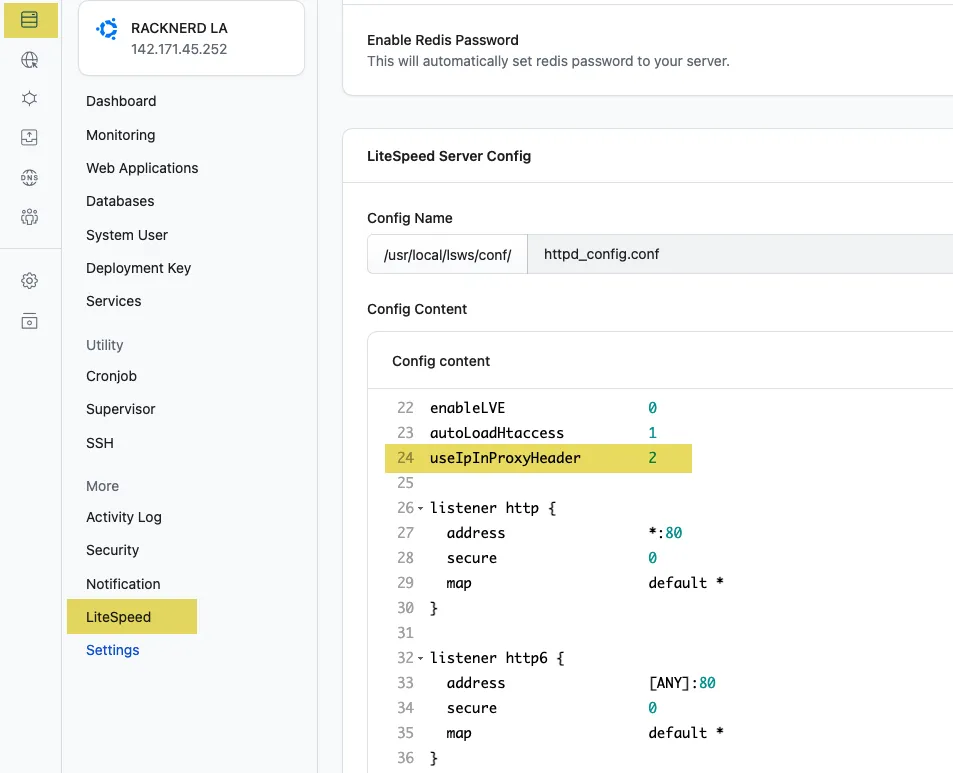
In the servers LiteSpeed config add:
useIpInProxyHeader 2
Step 2
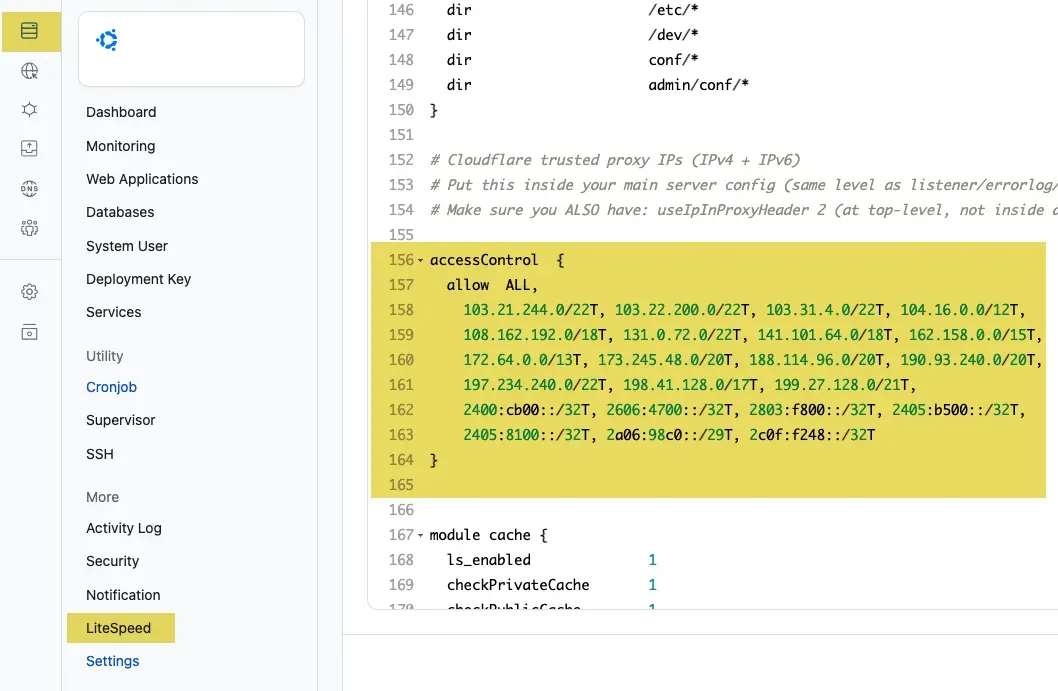
Then add in the Cloudflare trusted proxy IP addresses, replacing the existing code block.
accessControl  {
  allow  ALL,
    103.21.244.0/22T, 103.22.200.0/22T, 103.31.4.0/22T, 104.16.0.0/12T,
    108.162.192.0/18T, 131.0.72.0/22T, 141.101.64.0/18T, 162.158.0.0/15T,
    172.64.0.0/13T, 173.245.48.0/20T, 188.114.96.0/20T, 190.93.240.0/20T,
    197.234.240.0/22T, 198.41.128.0/17T, 199.27.128.0/21T,
    2400:cb00::/32T, 2606:4700::/32T, 2803:f800::/32T, 2405:b500::/32T,
    2405:8100::/32T, 2a06:98c0::/29T, 2c0f:f248::/32T
}
Step 3
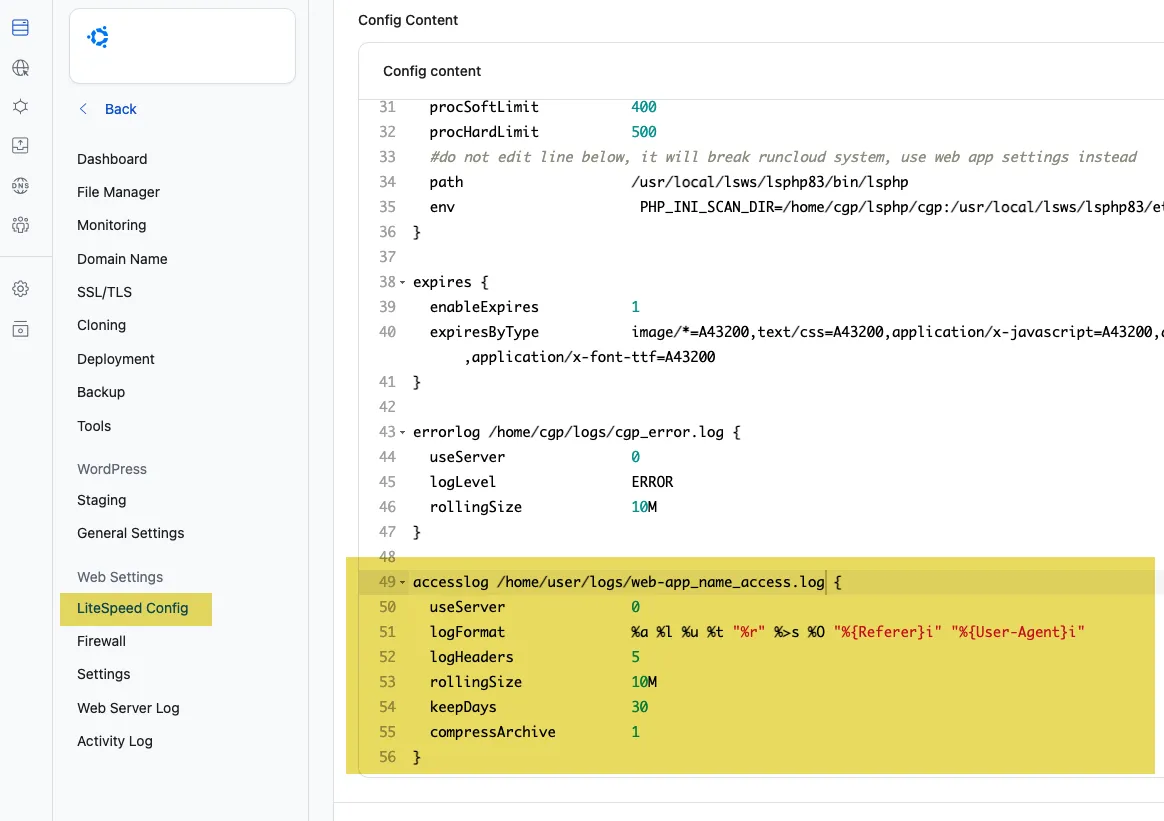
Then finally add into the web app client’s LiteSpeed config the parameters to see the real IP addresses of the visitors in the logs.
accesslog /home/user/logs/web-app_name_access.log {
  useServer               0
  logFormat               %a %l %u %t "%r" %>s %O "%{Referer}i" "%{User-Agent}i"
  logHeaders              5
  rollingSize             10M
  keepDays                10
  compressArchive         1
}
Change the user and webapp name.










1 comment
Arthur Sathish
Thanks for this, the useIpInProxyHeader setting combined with the trusted Cloudflare ranges in accessControl is exactly the piece that’s easy to miss. Without it every visitor in the access log shows up as a Cloudflare IP, which makes fail2ban rules and debugging pretty useless. Worth remembering to refresh that IP list whenever Cloudflare publishes new ranges.