You can reveal real origin IP addresses layered beneath common Cloudflare IP addresses with a couple of tweaks to the LiteSpeed server config and 1 tweak to the web app client LiteSpeed config.
3 steps
Step 1
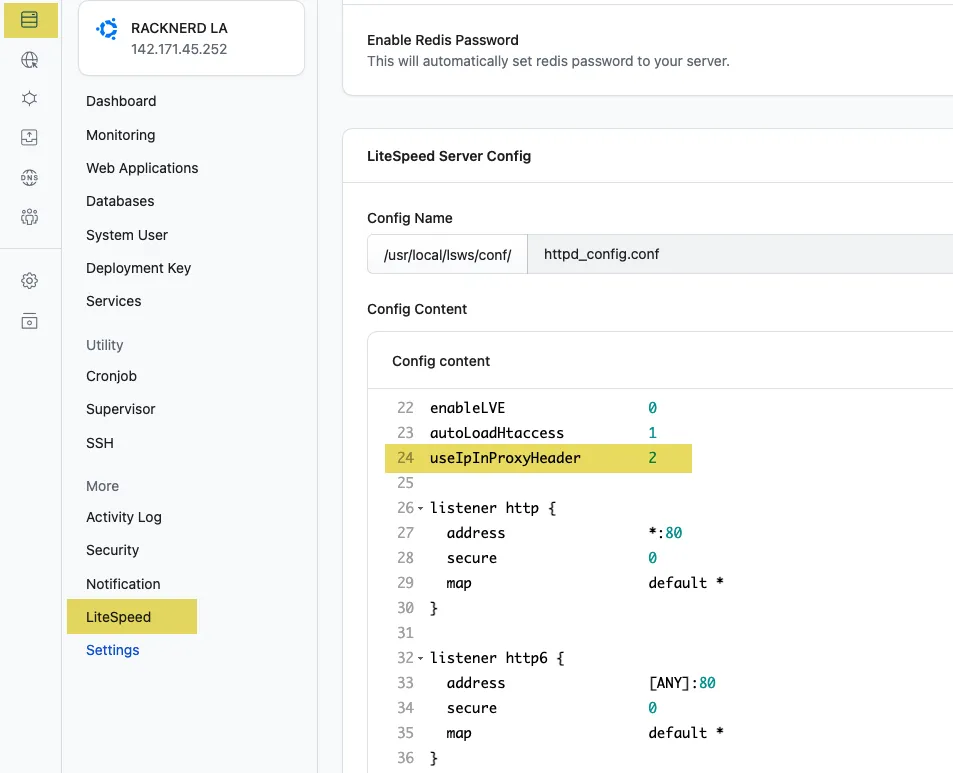
In the servers LiteSpeed config add:
useIpInProxyHeader 2
Step 2
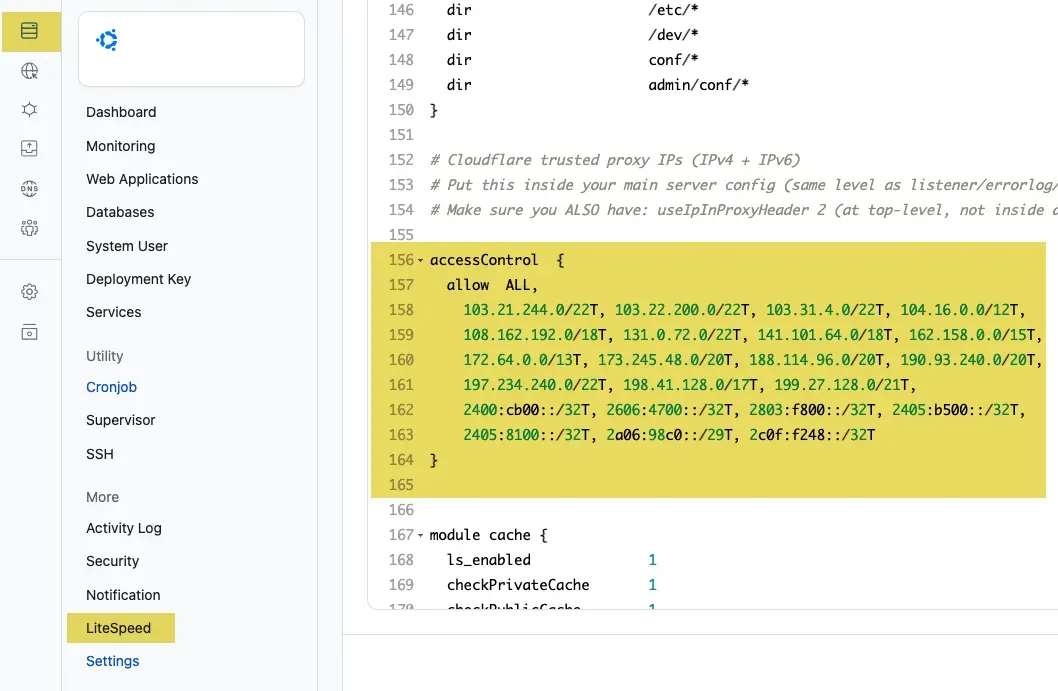
Then add in the Cloudflare trusted proxy IP addresses, replacing the existing code block.
accessControl  {
  allow  ALL,
    103.21.244.0/22T, 103.22.200.0/22T, 103.31.4.0/22T, 104.16.0.0/12T,
    108.162.192.0/18T, 131.0.72.0/22T, 141.101.64.0/18T, 162.158.0.0/15T,
    172.64.0.0/13T, 173.245.48.0/20T, 188.114.96.0/20T, 190.93.240.0/20T,
    197.234.240.0/22T, 198.41.128.0/17T, 199.27.128.0/21T,
    2400:cb00::/32T, 2606:4700::/32T, 2803:f800::/32T, 2405:b500::/32T,
    2405:8100::/32T, 2a06:98c0::/29T, 2c0f:f248::/32T
}
Step 3
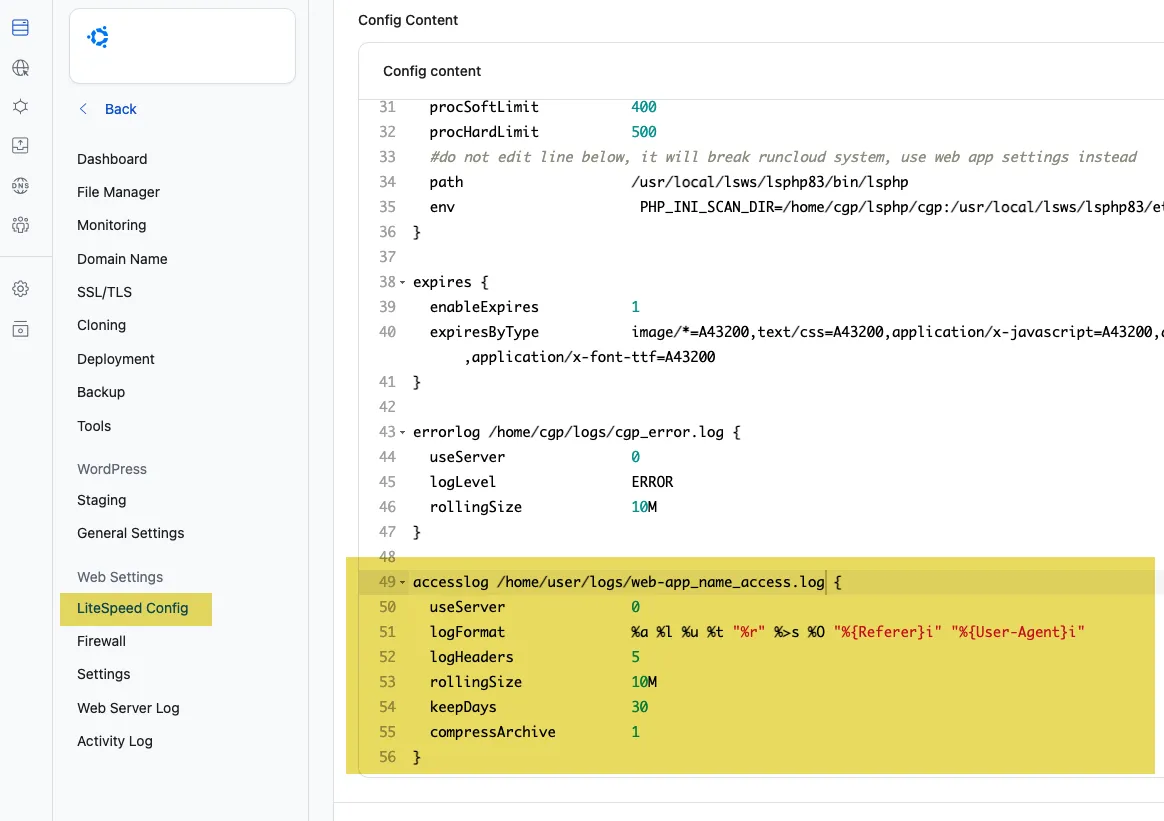
Then finally add into the web app client’s LiteSpeed config the parameters to see the real IP addresses of the visitors in the logs.
accesslog /home/user/logs/web-app_name_access.log {
  useServer               0
  logFormat               %a %l %u %t "%r" %>s %O "%{Referer}i" "%{User-Agent}i"
  logHeaders              5
  rollingSize             10M
  keepDays                10
  compressArchive         1
}
Change the user and webapp name.